.png)
.png)


.png)

Automatic time tracking
Always-visible PIP timer
Auto-stop + inactivity detection
Project + client linking
Instant invoicing from hours
Most time tracking tools require you to remember to start or stop timers. Tympi solves that with automation that adapts to how you work. Stay focused, stay accurate, and let Tympi do the rest.
Auto-stop after inactivity to prevent runaway timers
Smart reminders when you forget to track
Picture-in-picture timer that follows you across apps
One-tap switching between tasks and projects

Tracking shouldn’t depend on memory. Tympi pauses your timer when you step away and resumes when you return, keeping your hours honest without interrupting your focus.
If you’ve been running longer than usual, Tympi gently checks in to make sure you’re still working. This small automation prevents messy logs and keeps your week cleaner with almost no effort.
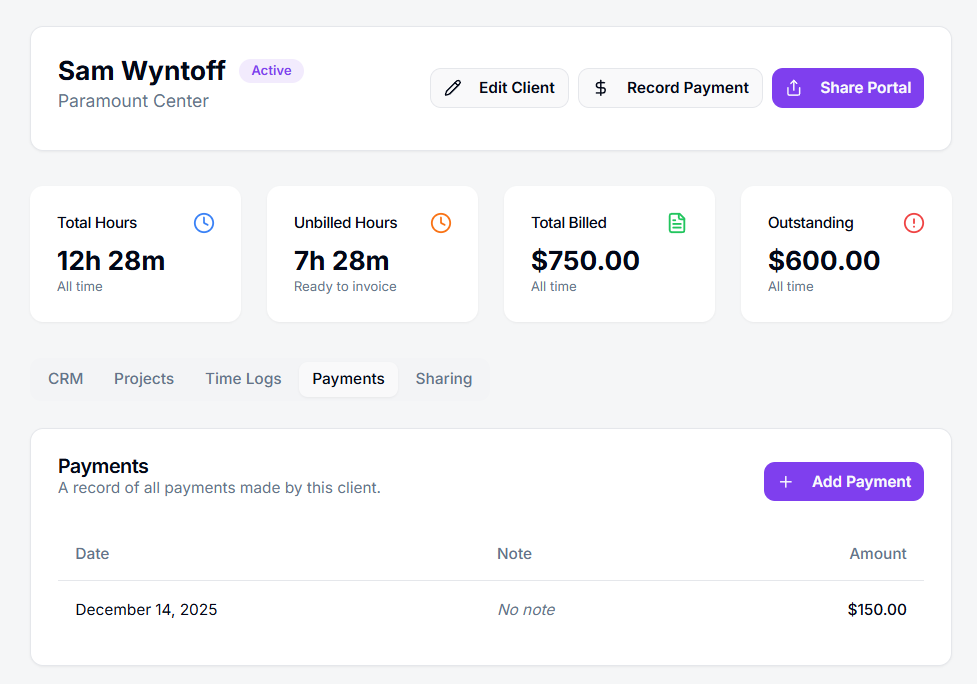
Project + Client Linking
Whether you're tracking a quick task or a full work session, Tympi keeps everything organized. Assign time to a project or client as you start, or clean it up afterward, whatever matches how you work.
Clean, structured daily and weekly views
Time automatically grouped by client and project
Perfect for invoicing and reporting
No more guessing where your hours went
Tympi turns raw minutes into organized work, making end-of-week reviews and invoicing dramatically easier.
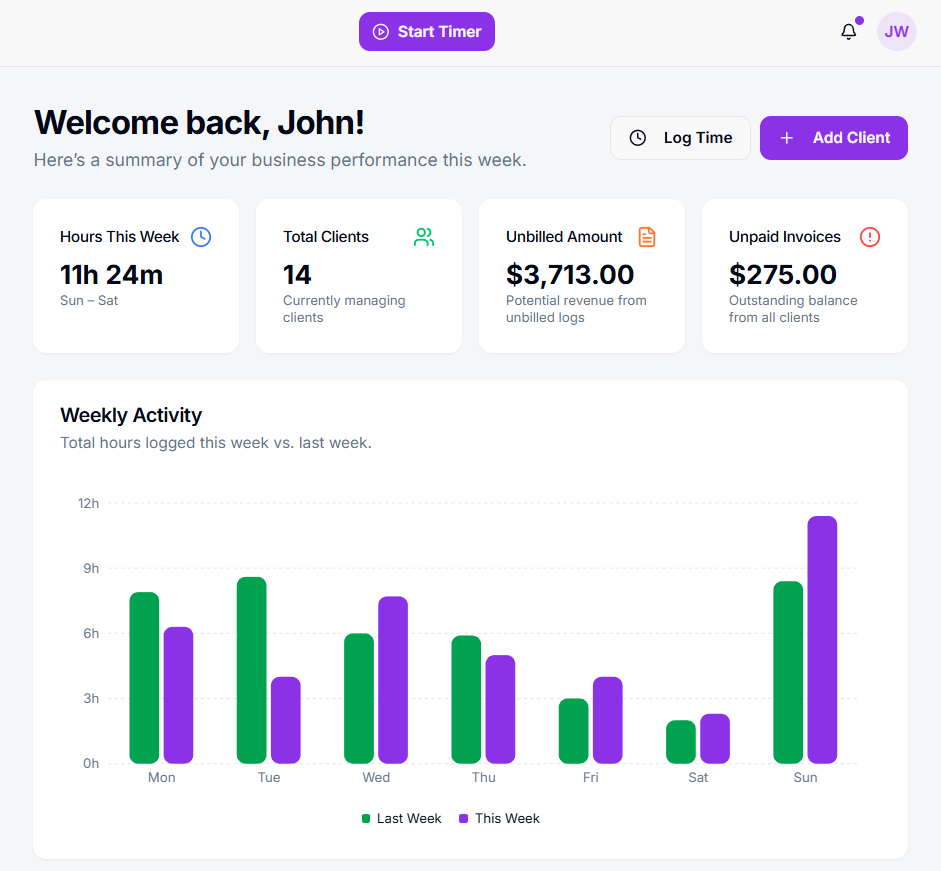
Tympi transforms your tracked hours into simple, meaningful summaries so you can see exactly how your week is unfolding. Compare this week to last, understand where your time is going, and spot trends before they become problems.
In one view, you can see:
Hours worked this week
How clients and projects are trending
Unbilled revenue still waiting to be invoiced
Outstanding invoices that need attention
Weekly activity charts give you a clear picture of your workload, helping you plan smarter, stay organized, and keep your business moving forward.