

.png)
.png)

.png)
From client > services > AI > PDF. No scrambling. No blank pages.
Step 1
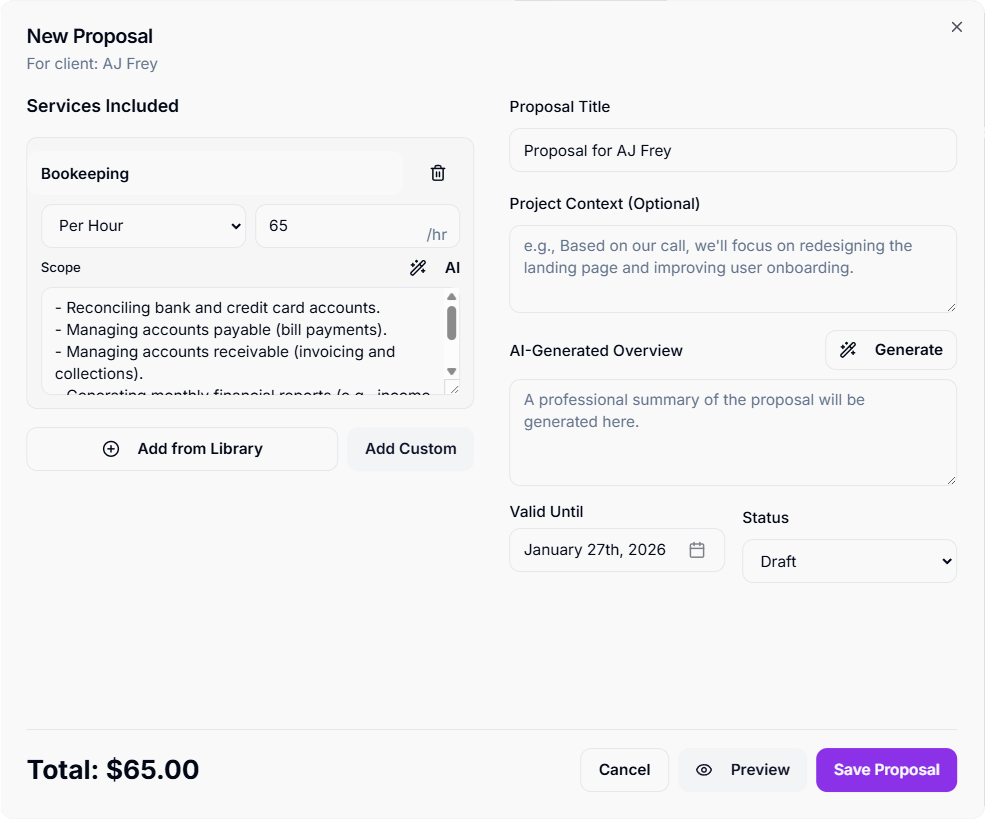
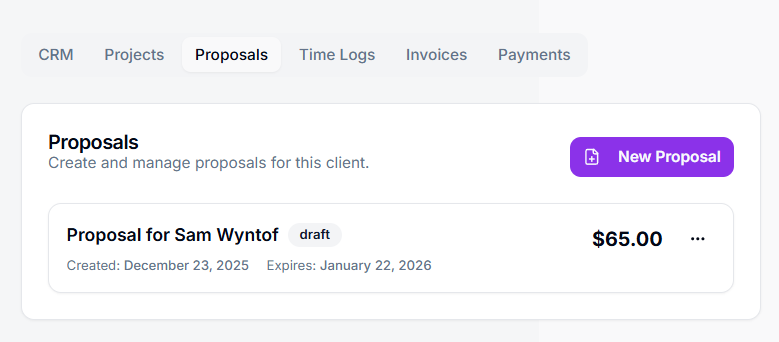
Create proposals directly from a client’s page. Click New Proposal and Tympi opens a focused builder where everything lives in one place.
Step 2
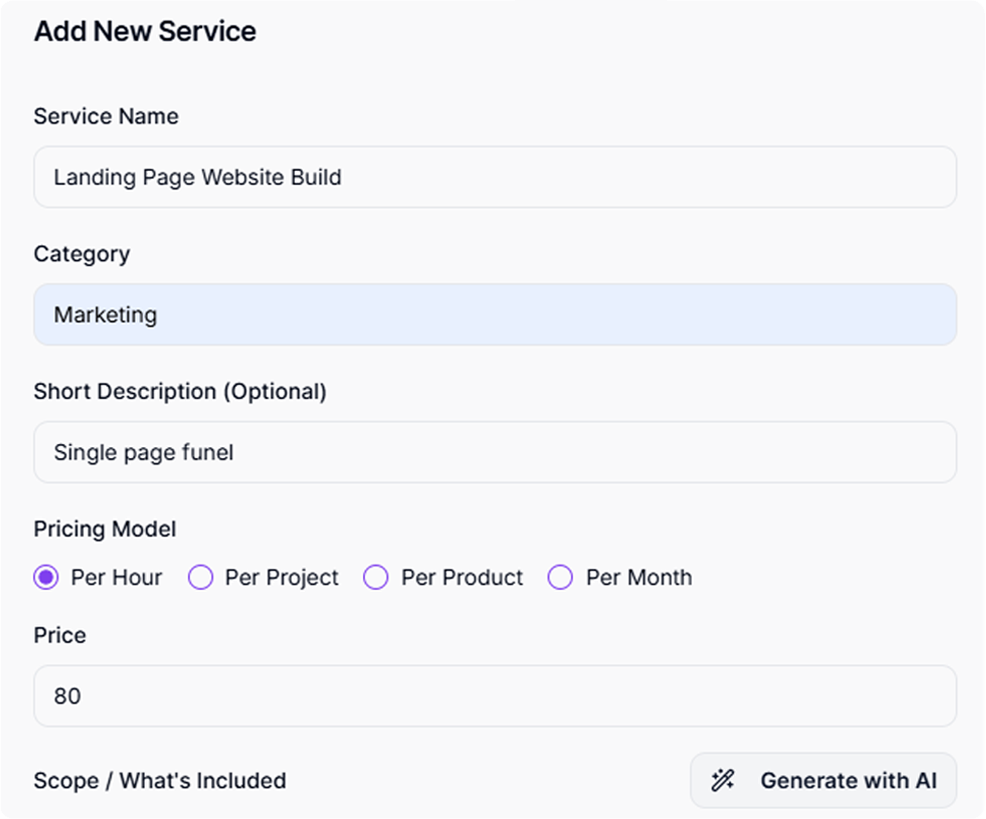
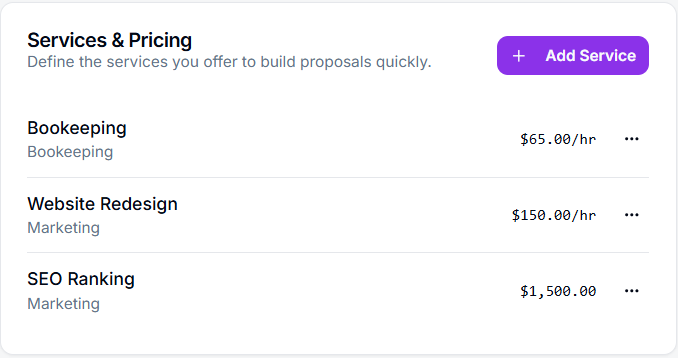
Add services from your Service Library to pull in pricing instantly, or add a custom service. Use AI to generate scopes and a polished proposal overview in seconds.
Step 3
Instantly download a clean, client-ready PDF that includes your branding, client details, full scope of services, and total pricing, formatted automatically and ready to share.
Create proposals in minutes, not from scratch
Build multi-service proposals from your Service Library
AI-generated scopes and proposal overviews
Consistent pricing and structure every time
Instant, professional PDF output
Most proposal tools assume you have time to sit down, think, and start from scratch. Real work doesn’t happen like that. Leads ask for proposals when you’re busy, and that’s when the stress hits.
Create proposals in minutes, not hours
Reuse templates instead of starting from a blank page
Automated structure keeps pricing and scope consistent
AI-generated templates when you need to move fast
Writing proposals shouldn’t depend on inspiration or memory. Tympi uses automation and AI to help you create professional proposals quickly, even when a lead asks at the worst possible time.
Add services from your Service Library, then let AI generate clear scopes and a polished proposal overview for you. You stay in control, but the heavy lifting is done, so you can respond fast without second-guessing.